Everything ViewTile can do

Who it is for, how the wall works, the camera controls, what is free and what is Pro, and the answers to the first questions.

Two jobs

If you install cameras

Find them without knowing every address, add a whole site with one shared login, adjust the settings they offer from the ground, and copy a report when one fails — with the passwords already removed.

If they were installed for you

Open the view of the tills or the entrance, watch, and save a photo — or, with Pro, a clip of up to five minutes. When a camera drops, the screen says what to check before you call anyone.

Every day

The wall

One camera or a whole site: 1×1, 2×2 and 1+3 on a phone, 3×3 and 1+5 on a tablet, 4×4 on a Mac or a wide screen such as a large tablet held sideways; saved views such as “Yard” and “Tills”; and a wall that turns its own pages, so more cameras than fit on one page still share one screen.

  • Turn, tilt and zoom a movable camera with the on-screen controls, and jump to saved positions with one tap.
  • A snapshot straight into your photo library — and with Pro, a clip of up to five minutes.
  • When the Wi-Fi cannot keep up with the full picture, ViewTile switches to the lighter one, says so, and one tap brings the full picture back.
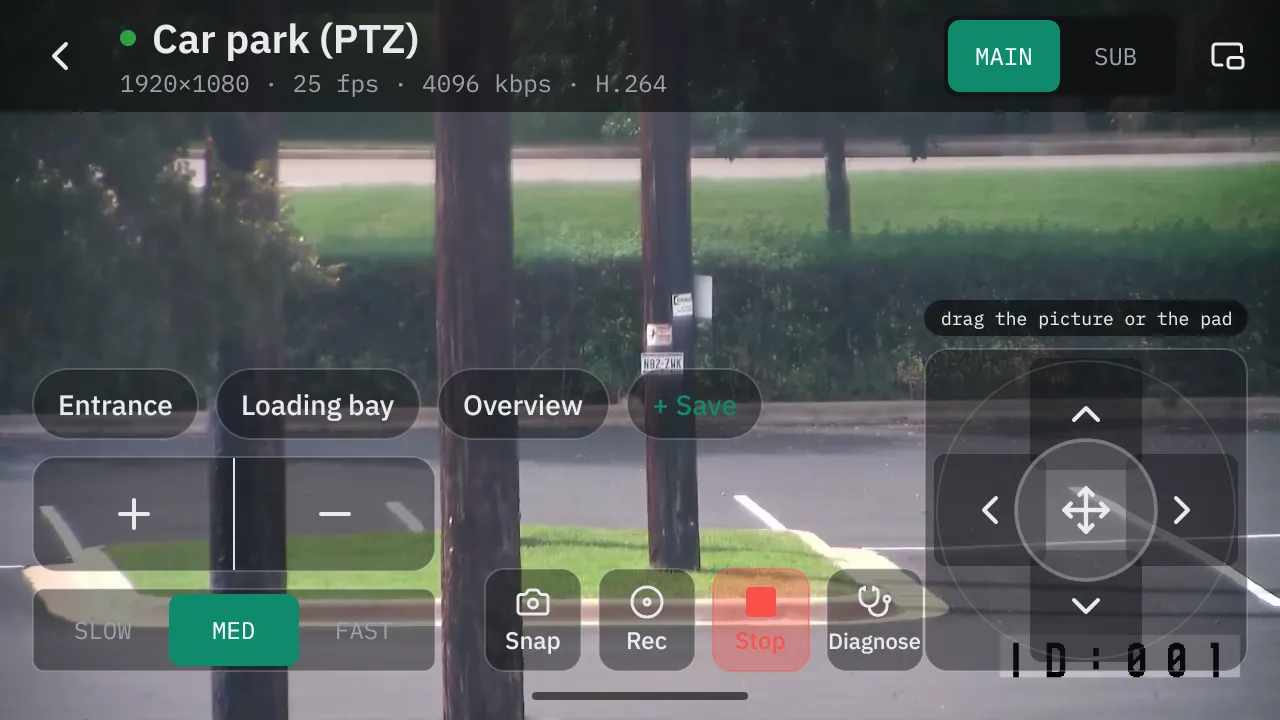
Live view on an Android phone held sideways: the picture fills the screen with the saved positions, speed, zoom and pan-tilt pad drawn over it.
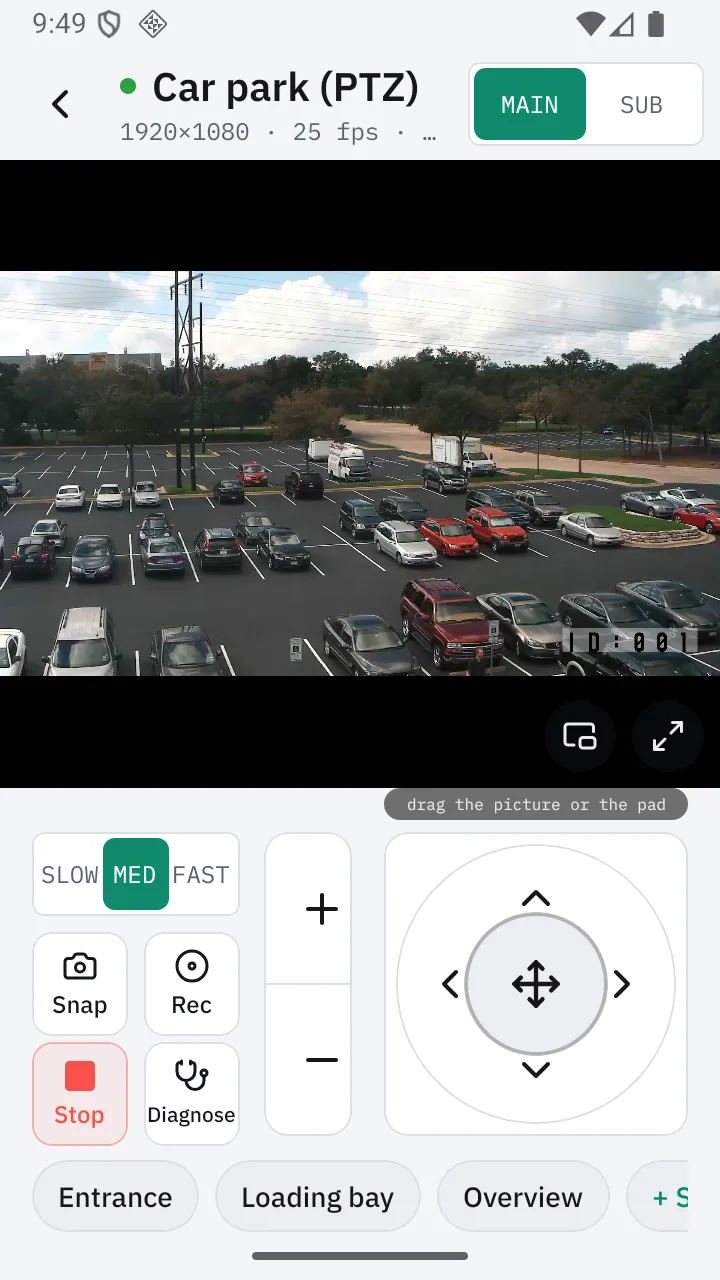
Live view on an Android phone in the light theme: the car park picture, the full/lighter picture switch, the speed selector, snapshot, record, stop and diagnose, a zoom rocker, the pan-tilt pad and saved positions.
Turn the phone, and the controls sit over the picture · Live view on an Android phone
  • Three speeds

    Slow for lining up a plate, fast for crossing a yard.

  • Saved positions

    Entrance, loading bay, overview — one tap each, and a new one saved from where you are.

  • Drag the picture

    Or use the pad. The camera follows your finger either way.

  • Snapshot or clip

    Straight into your photo library, with the camera and the time on record. Clips come with Pro.

Beyond the phone

Set up nearby. Watch from across the room.

The same cameras on an iPad, an Android tablet or a television. Hand a setup from the phone to the TV with a code on the screen — over your own network and nothing else.

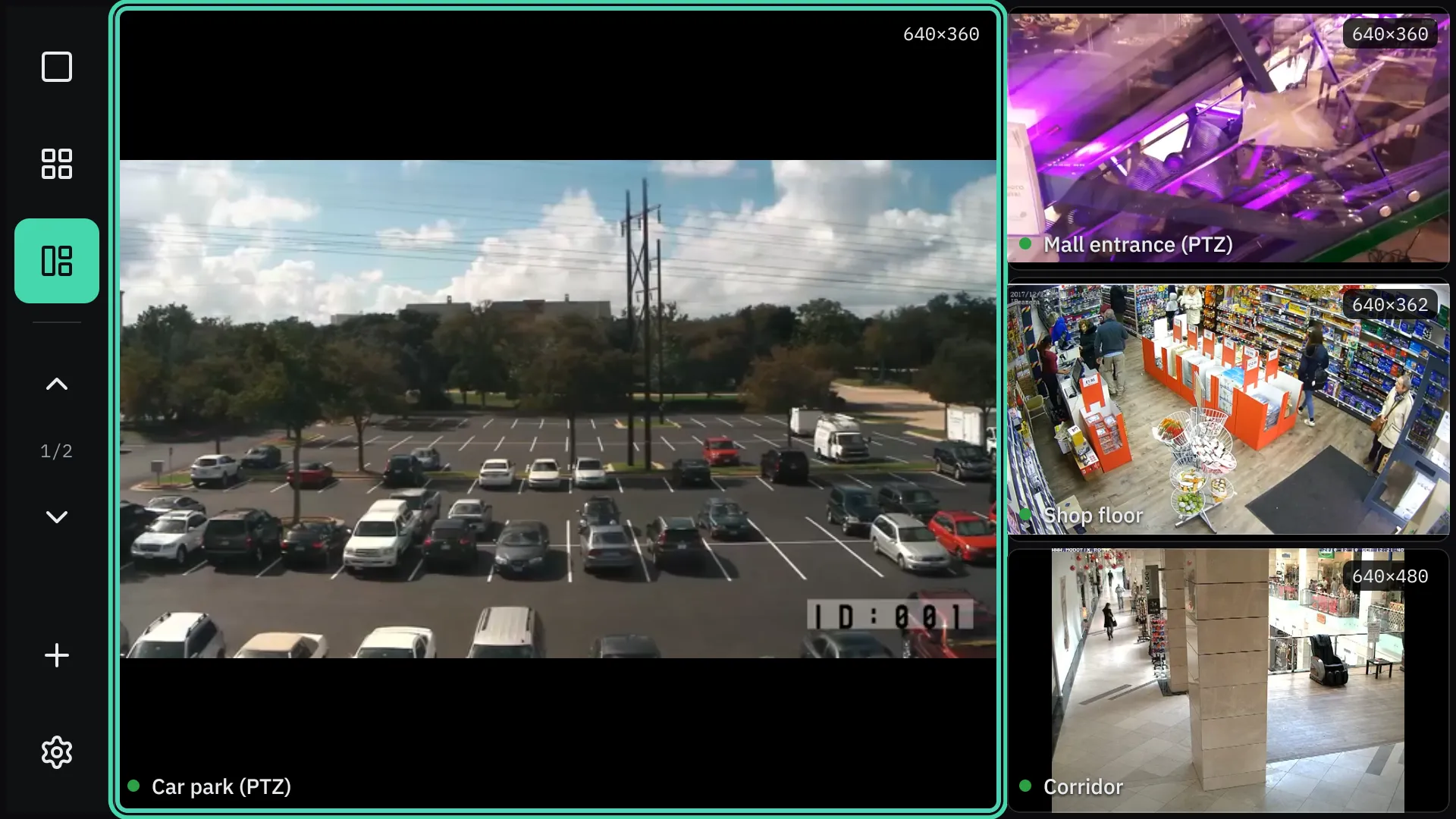
The Android TV wall in the 1+3 layout: the car park large with a mint focus ring, three cameras stacked on the right.
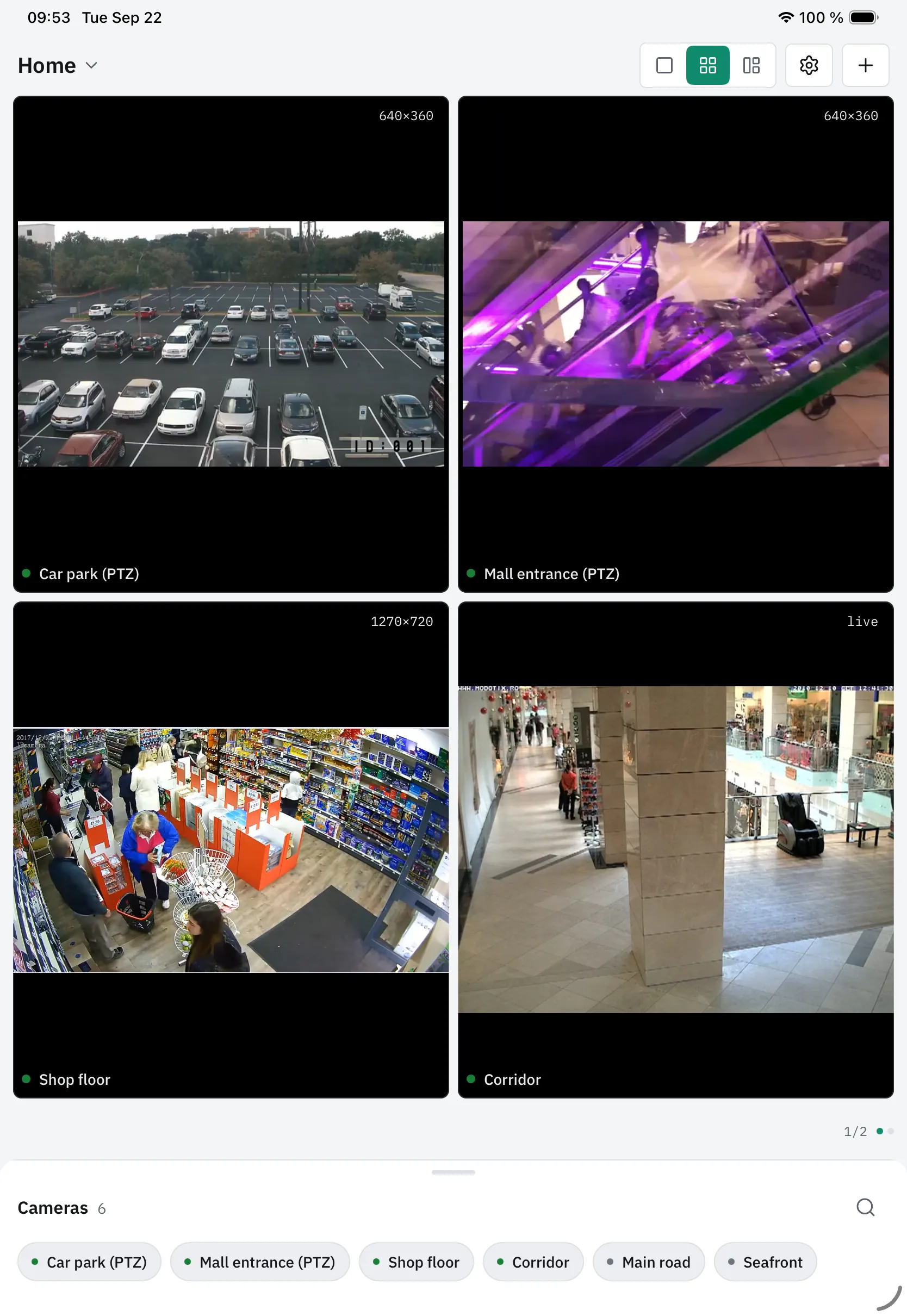
The 2×2 wall on an iPad in portrait, light theme, with the camera list below.
Android TV, one large and three beside it, driven by the remote · iPad, four cameras

The television app is coming soon.

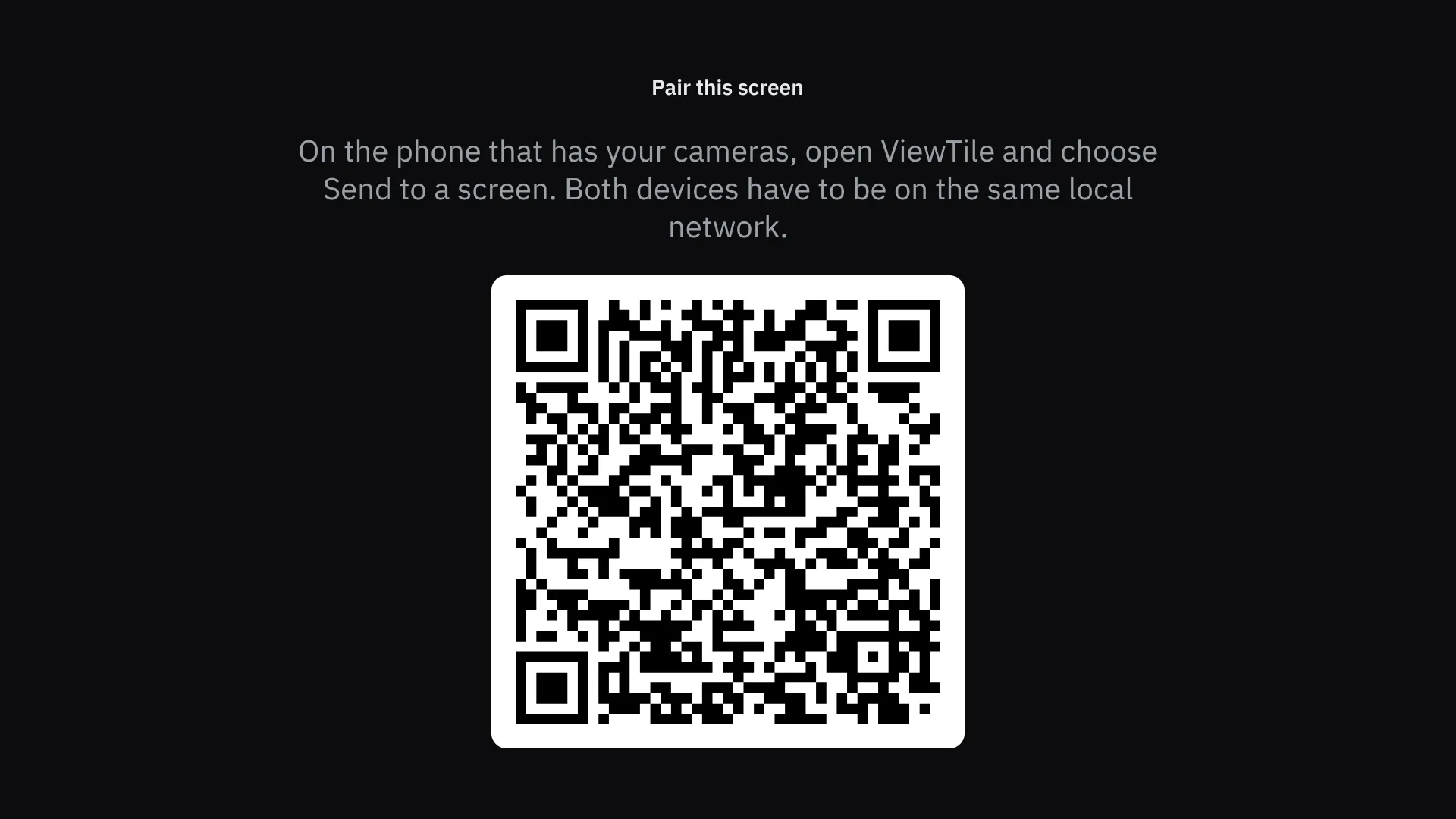
The pairing screen on an Android TV: “Pair this screen”, a sentence telling you to choose Send to a screen on the phone, and a large code for the phone to read.
The TV shows a code; the phone reads it

In hand

What you can do from the phone

  • Move it

    Turn, tilt and zoom with an on-screen pad or by dragging the picture; three speeds; go to a saved position with one tap, save the one you are looking at, or set it as home. Cameras that move.

  • Snapshot and clip

    A still or a clip of up to five minutes, straight into your photo library, with a record of which camera and when.

  • Pick and tune the picture

    Choose which stream the wall uses and which full screen uses; set resolution, frame rate and bitrate from the values the camera itself accepts.

  • Recordings on the camera

    List and play back what the camera keeps on its own card or storage. Cameras with on-board recording (Profile G).

  • Alarms while you watch

    Motion and the camera’s other alarms shown as they happen, so you can check the detection zone from the ground.

  • Picture in picture

    Keep one camera floating in a corner while you use the phone for something else.

All eighteen, and what each depends on

Coming next

Two things that arrived this week

Both are in the app now, and both are Pro.

  • In the app

    The last minute, saved

    While you watch a camera, ViewTile keeps the last sixty seconds on the phone. When the camera reports movement — or you tap a button — that minute, and a few seconds after, become a clip in your photo library. Like a car’s dashcam: no cloud, and only while you are watching.

  • In the app

    A phone as a camera

    An old phone on a shelf becomes a camera that the wall — and any recorder that speaks the standard — finds and plays, over your own Wi-Fi, behind a random password made on that phone — change it, or turn sign-in off, if you like. Android as a service; iPhone and Mac while the app is open.

What it costs

Free until launch

Everything is free until ViewTile reaches the stores. Later, ViewTile Pro will be bought through the App Store or Google Play — monthly, yearly, or once for good — with no account on our side.

Free

No account, no time limit.

  • Two cameras playing at once, for as long as you like
  • One saved view
  • The full picture, the automatic switch to the lighter one, and reconnecting by itself
  • Sound with the picture, zooming into the picture, and snapshots
  • What went wrong and what to do next — and the report you can send
  • The camera’s own settings: picture, focus and stream, its clock, a restart, and its wiper, lamp and relay
  • The app lock, and a backup of your setup you can carry to another phone
  • No ads and no watermarks, ever

Pro

Monthly, yearly, or once for good. Not on sale yet.

Everything in Free, plus:

Watch more

  • Every camera you have, playing at once
  • As many saved views as you like, and pages that turn by themselves

Move and control

  • Pan, tilt and optical zoom, saved positions and home — on cameras that move

Save and replay

  • Clips of up to five minutes
  • The last minute, saved on movement or a tap
  • Playing the recordings a camera keeps on its own storage

Share and extend

  • Picture in picture, and listening without the picture
  • Handing the whole setup to a television or another phone
  • A phone as a camera

Monthly, yearly, or once for good — the same Pro in each, with a seven-day trial you start yourself on the yearly plan. The price is set in the store for your country, and nothing is for sale yet. What you took while free stays yours if a subscription ends; nothing you already have is locked. And a connection that fails will always say why, in both.

Compare every feature
FeatureFreePro
Cameras playing at once, for as long as you liketwoall of them
Saved views such as “Yard” and “Tills”oneas many as you like
Pages that turn by themselvesNot includedIncluded
The full picture, the automatic switch to the lighter one, reconnecting by itselfIncludedIncluded
Sound with the picture, zooming into the picture, snapshotsIncludedIncluded
What went wrong, and what to do next — and the report you can sendIncludedIncluded
Reading and changing the camera’s picture, focus and stream settingsIncludedIncluded
Setting the camera’s clock, and restarting the cameraIncludedIncluded
Wiper, lamp and relayIncludedIncluded
The app lock, and a backup of your setup you can carry to another phoneIncludedIncluded
Moving the camera: pan, tilt, optical zoom, saved positions, homeNot includedIncluded
Clips of up to five minutesNot includedIncluded
The last minute saved on movement or a tapNot includedIncluded
Playing the recordings a camera keeps on its own storageNot includedIncluded
Picture in picture, and listening without the pictureNot includedIncluded
Handing the whole setup to a television or another phoneNot includedIncluded
A phone as a cameraNot includedIncluded
No ads, no watermarks, everIncludedIncluded

Questions

Before you try

Will it work with the cameras I already have?

If a camera follows the common standard (ONVIF) or gives a stream address, yes. Most brands do, and so do the recorders they sell: each channel is added as a camera of its own.

Can I mix brands?

That is the point of it. Each camera is added on its own; the wall does not care where they came from.

Does it work when the internet is down?

Yes. ViewTile needs the cameras’ own network and nothing else; the internet is not involved.

Can I watch the shop from home?

Not through ViewTile — there is no cloud and no relay, on purpose. A VPN into the shop’s router is the honest way; the support article explains it.

Why did the scan miss my camera?

Usually a guest network, a router that keeps Wi-Fi devices apart, or a camera on a separate network. Type its address; if it can be reached, it plays.

Can the staff watch on a television?

On Android TV, driven by the remote, with the cameras handed over from the phone with a code. The television app is coming soon.

Is it a recorder?

No. With Pro it saves clips you take yourself, up to five minutes each, and plays back what a camera keeps on its own storage where the camera offers that. It does not record around the clock.

What happens to my passwords?

They stay in the phone’s secure storage, are never shown again, and are removed from any report before it is written.

More questions, and the answers

Try it before the stores

ViewTile is built for iPhone, iPad, Android phones and tablets, and Android TV, and it is coming to the App Store and Google Play. If you install cameras for a living, write with the brands you have, and an early build comes back with instructions.

Ask for early access